
CRM and customer data
Connect enquiries, contact records and account updates. Agree the source of truth and matching rules so a new connection does not create another set of duplicates.
Your website, CRM, billing tools and internal systems should support the same operation. SourceLayer connects them so information reaches the right place with less duplicate entry and a clear record of what happened.
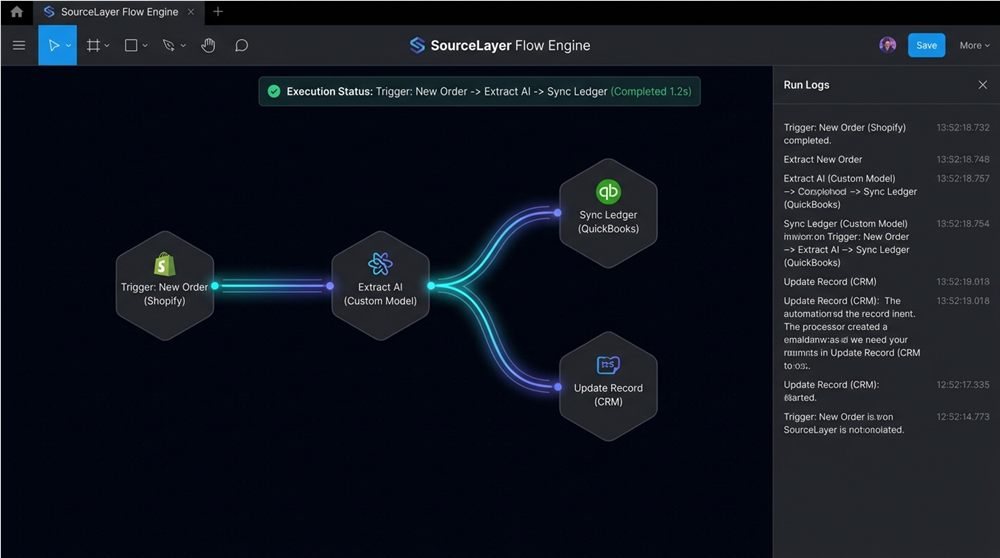
We design connections around your business rules, not just the ability to transfer data. That includes ownership, field mapping, timing, validation and how exceptions are handled.
Connect enquiries, contact records and account updates. Agree the source of truth and matching rules so a new connection does not create another set of duplicates.
Move approved order, invoice and payment-status information between platforms. Keep checks around financial records and make failed transfers visible.
Build connections using the interfaces your platforms provide. Handle authentication, request limits and changing responses with documented behaviour.
Connect forms, bookings, customer portals and internal dashboards to the systems behind them. Give users relevant information without another manual handoff.
Keep selected records aligned on an agreed schedule or event. Define conflict rules, validation and what happens when a record is changed in two places.
Work with exports, imports or supporting middleware when a direct API is limited. Check the practical constraints before choosing an integration approach.
Before moving data, we identify the system that owns each record, the fields that matter and who can access them. This helps avoid conflicting updates and accidental changes to business-critical information.
The design includes how to recognise a failed transfer, retry safely and investigate an exception. Your team receives a clear explanation of the connection and its dependencies so it can be maintained as your software changes.
A website submission is validated, matched to an existing contact or created as a new record, and assigned to an owner in the CRM. A confirmation can follow only after the record is accepted. Failures enter a visible retry or review path instead of disappearing.
Website enquiries need to be entered into your CRM by hand.
Customer details differ between sales, billing and delivery tools.
Teams chase order or payment updates across several systems.
A portal needs information from an existing internal platform.
Spreadsheets are being used as a bridge between applications.
An existing connection fails silently or creates duplicate records.
Identify systems, record owners and available interfaces.
Agree field mappings, triggers and conflict rules.
Build with scoped access and useful operational logs.
Check duplicates, invalid inputs, outages and recovery.
Document dependencies and adapt to platform changes.
It depends on their interfaces, permissions and plan limits. We assess APIs, webhooks and import/export options before confirming what is possible.
Some integrations respond to events; others run on a schedule. We choose based on the platform capabilities and how quickly the business needs an update.
The connection should detect the failure and use an agreed retry or review process. We define this behaviour and test it before launch.
Tell us the platforms involved, what should move between them and where manual work is happening. We will help map a practical connection.